Connecting to our Battlebit Rush server
How to Join the [RS] Rogue Soldiers Clan BattleBit Rush Server
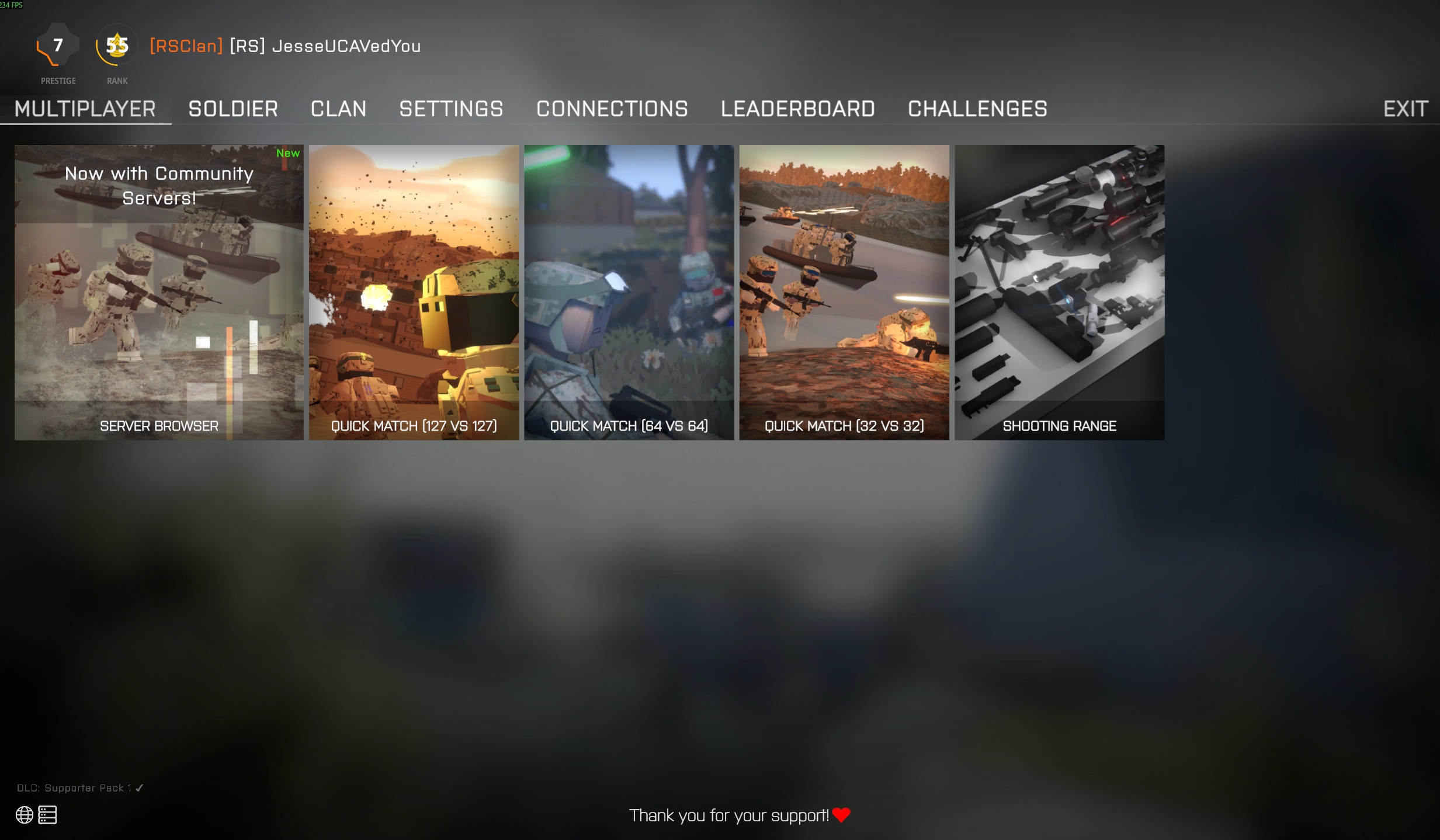
Step 1: Open the Server Browser
From the Multiplayer screen, select Server Browser.
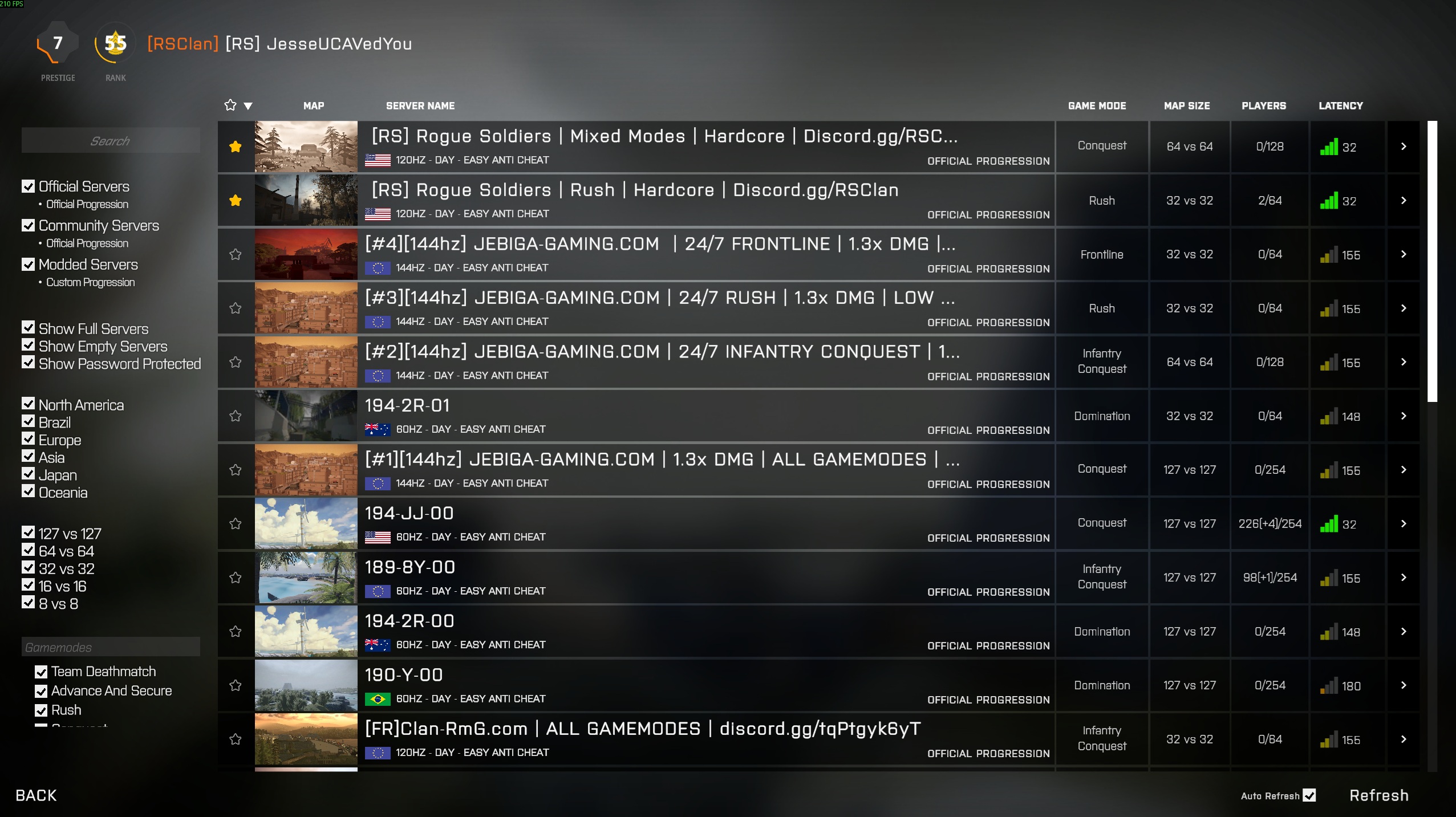
Step 2: View the Server Browser
You will now be taken to the full Server Browser where all available servers are listed.
Step 3: Search for Our Server
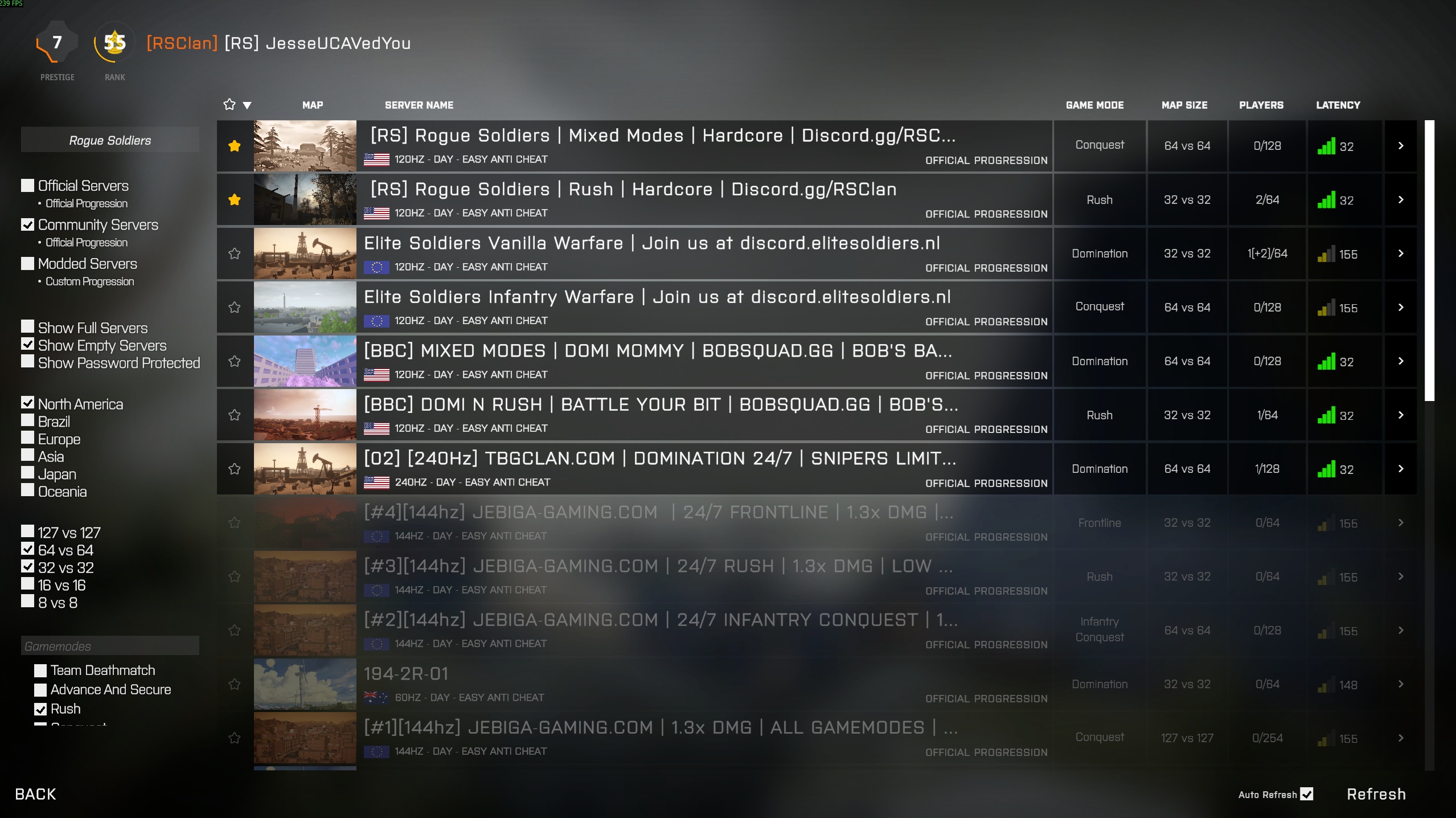
Type Rogue Soldiers into the search bar at the top of the server browser.
Step 4: Apply the Correct Filters
To make sure the correct server appears, use the following filters:
- Server Type: Community Servers
- Region: North America
- Player Size: 32 vs 32
- Mode: Rush
Step 5: Select the Correct Server
Look for the following server name in the list:
[RS] Rogue Soldiers Clan | Rush | Hardcore | Discord.gg/RSClan
Click the server and press Join. If the server is full, you will be placed in a queue automatically.
You’re In!
Once connected, choose your squad, get ready, and enjoy Rush with the Rogue Soldiers Clan.
- Published
- Jan 1, 2026
- Page views
- 165

Featured Member Video

Our Streamers
-
No streamers are currently online.
Patreon Subscribers
Members online
No members online now.